SUMMER (Air Conditioning)
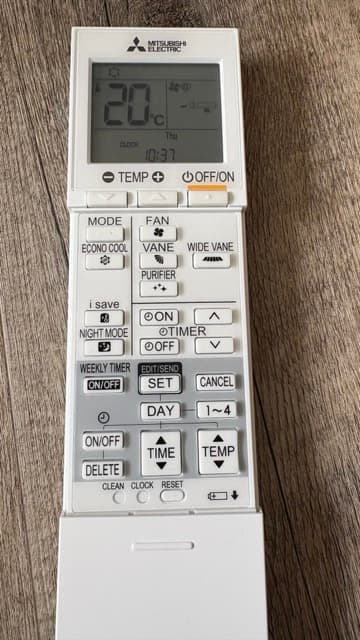
Use the remote control to turn on and adjust the air conditioning.
Make sure you are in "air conditioning" mode (snowflake icon at the top left of the display). If not, press the "MODE" button to switch.
Use the "-" and "+" TEMP buttons below the display to set the temperature. VANE adjusts the airflow direction louvers. FAN controls the fan speed. The auto mode with the icon shown below is perfect. You can also manually choose "night" mode (icon of a head with ear, for minimal noise) or select any speed at will.
WINTER (Heating)
You can set the temperature for the bedroom and living room radiators (do not use the air conditioning to heat!).
For the living room, simply use the "up" and "down" arrow keys (blue and red) to adjust the temperature. The "hand" icon indicates manual mode, which is the recommended setting. To change it, press the "M. Ok" button. Note that this button also turns off the radiator.
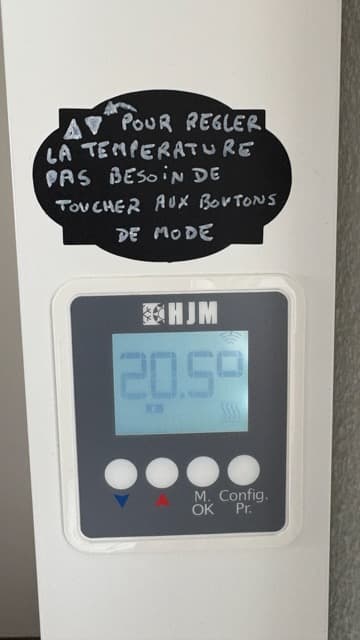
living room heating
For the bedroom, simply set the thermostat dial between 1 and 8 at your convenience.
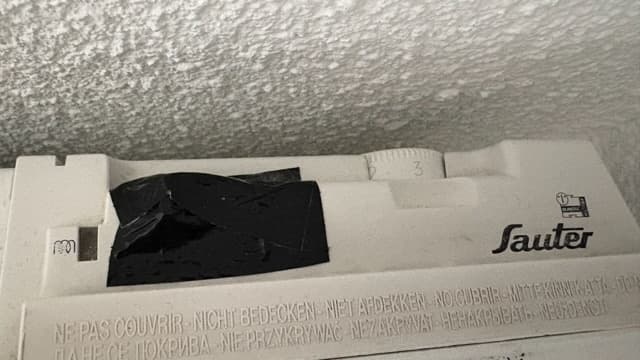
bedroom heating
Made possible by
Nowistay